

Import from online source
Import from online source
You can import your research output directly into Pure, if it is available from an online source that Pure has access to. This will save a lot of time. Examples of available online sources are Scopus and PubMed.
We recommend using Scopus to import publications in case several online sources are visible. Importing data from Scopus will bring along citation information and the publication will be ‘tagged' with a unique identifier which will enable updates to citations in the future.
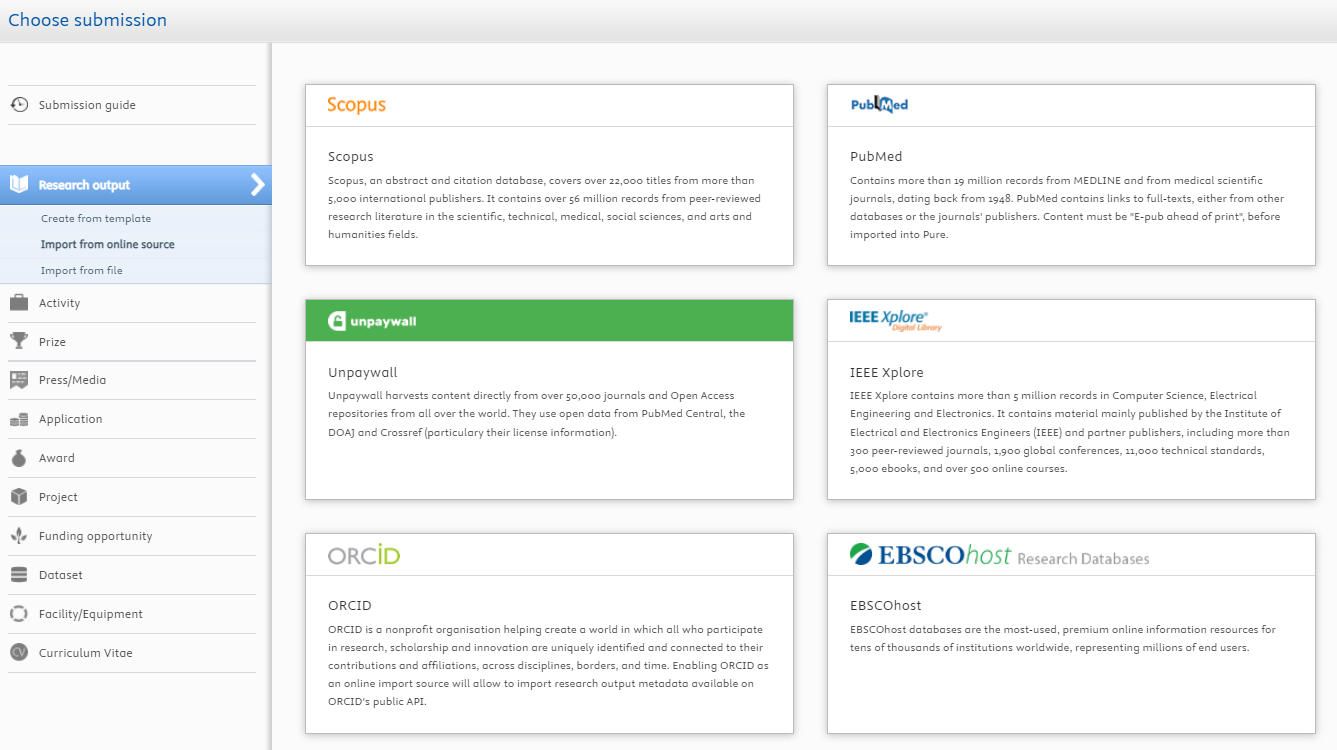
How to import from an online source?
- Click the green add content button on the right hand side of the Pure window;
- Select Research output on the left hand side of the Pure window and then Import from online source;
- Choose the source you want to import from;
- Fill in one or more datafields and press search;
- Select the publication and press import;
- Click on Import and review;
- Press Save .
Importing an article with more than 50 authors
-
When importing an article with more than 50 authors, Pure advises you to include the external authors as an ‘author collaboration’. This is not the intended approach.
-
To ignore this message, click the button: ‘Skip Author collaboration and match External persons’.
-
The Pure validation team/Metadata department will create an ‘Author collaboration’ where necessary.

Overview of online sources available in Pure
|
Scopus |
PubMed |
|
Unpaywall |
IEEE Xpore |
|
ORCID |
EBSCOhost |
|
WorldCat |
Expacenet |
|
SAO/NASA Astraphysics Data System |
arXiv.org |
|
Crossref
|
Mendeley
|
Last modified:18 September 2026 12.13 p.m.
View this page in: Nederlands