

UB App
|
See how to install the new UB App on your phone or computer. The old app has been discontinued since September 2025.
|
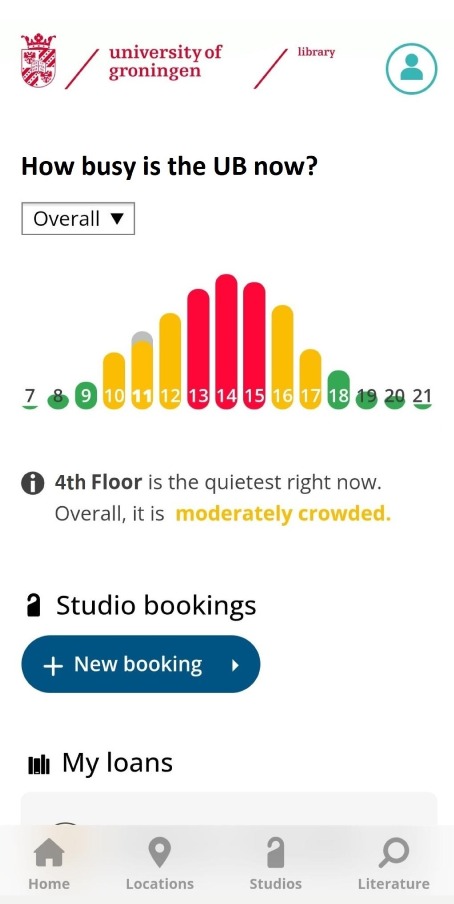
The University Library has its own mobile app: the UB App.
What does the UB App do?
-
Studios: reserve a studio for 1-2 people or for a group
-
Occupation monitor (soon): see how busy the library is, overall and per floor
-
Locations: check opening hours per library location and per date
-
Literature: access to SmartCat and book availability
-
My loans: an overview of your borrowed and reserved publications in one place
-
Latest notifications (soon): library news and updates
Is it an app or a website?
The UB App runs in your browser, but you can add it to your home screen for convenience. See how to install the app on your phone or computer.
Logging in
Log in with your UG account (S- or P-number) to use all features of the app.
Please note: if logging in doesn't work right away, refresh the page. In the installed app, the app refreshes automatically when you change settings.
Terms and conditions
Contact & support
-
Feel free to contact us at: ubapp rug.nl
Last modified:01 December 2025 1.20 p.m.
View this page in: Nederlands